How to Plan Your Day as a Night Owl
End your day at bedtime, not midnight, so late work and 1 AM habits count for the right night. Here's how, and how Play This Life sets it up.
To plan your day as a night owl, end your day when you go to bed, not at midnight. Then the evening and the hours after midnight are one day, and a habit you do at 1 AM counts for the night you did it.
Play This Life does this with one setting, Day start. Then you tell Ginger, your AI assistant, how your day really runs.
Most planners end the day at midnight. Read at 1 AM and the app files it under tomorrow. Tonight shows as missed, the streak breaks, and tomorrow looks half done before it starts.
So night owls stop logging after midnight, or log it a day late. Either way the record is wrong, and a wrong record is easy to give up on.
How Play This Life does it
Move the end of your day to bedtime, tell Ginger your day, and each night stays one day.
Read the steps as text
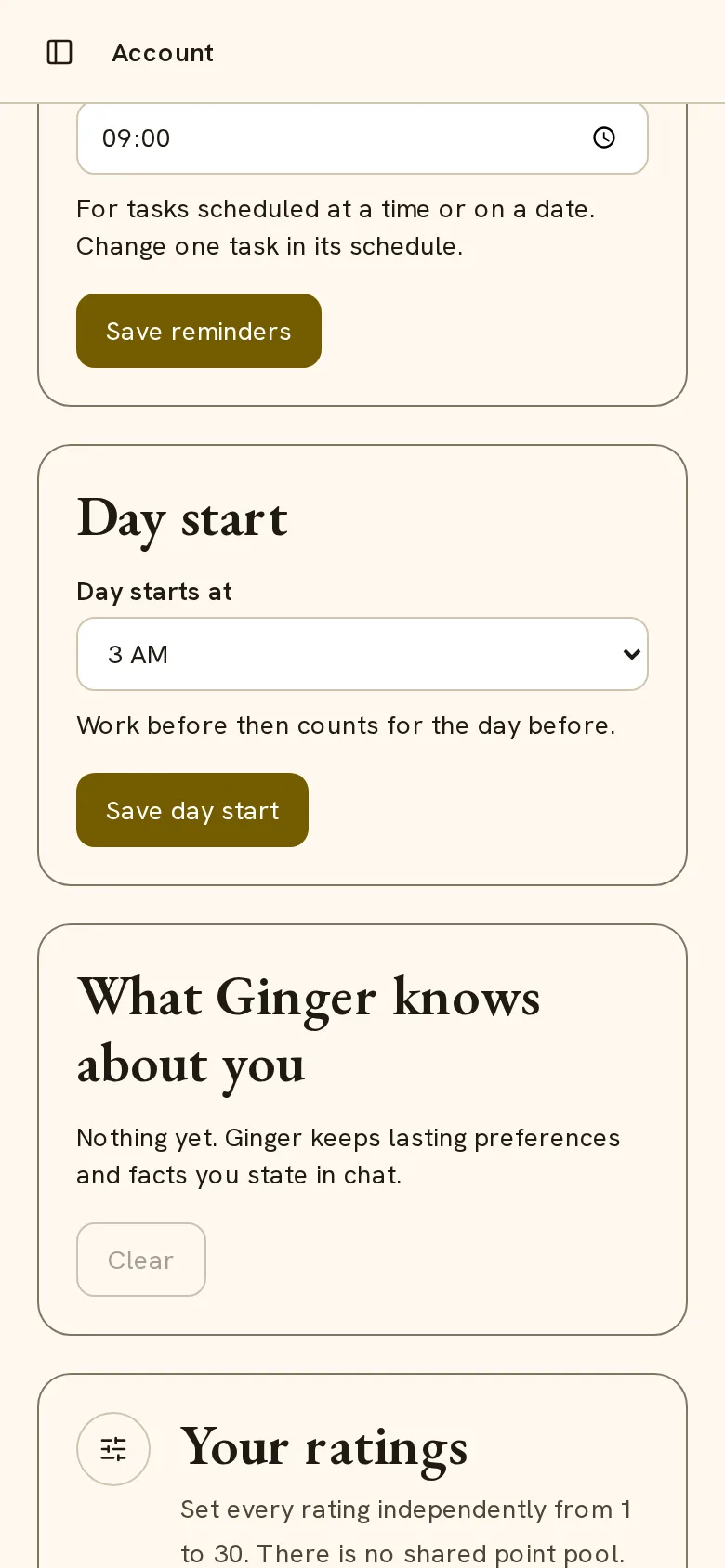
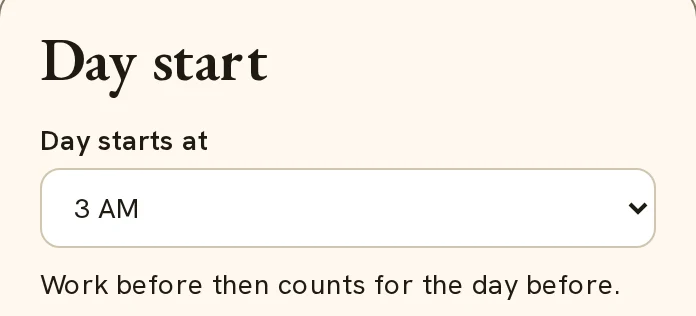
- End the day at bedtime. In Account, find Day start, select 3 AM in Day starts at, and select Save day start. Work before 3 AM now counts for the day before.
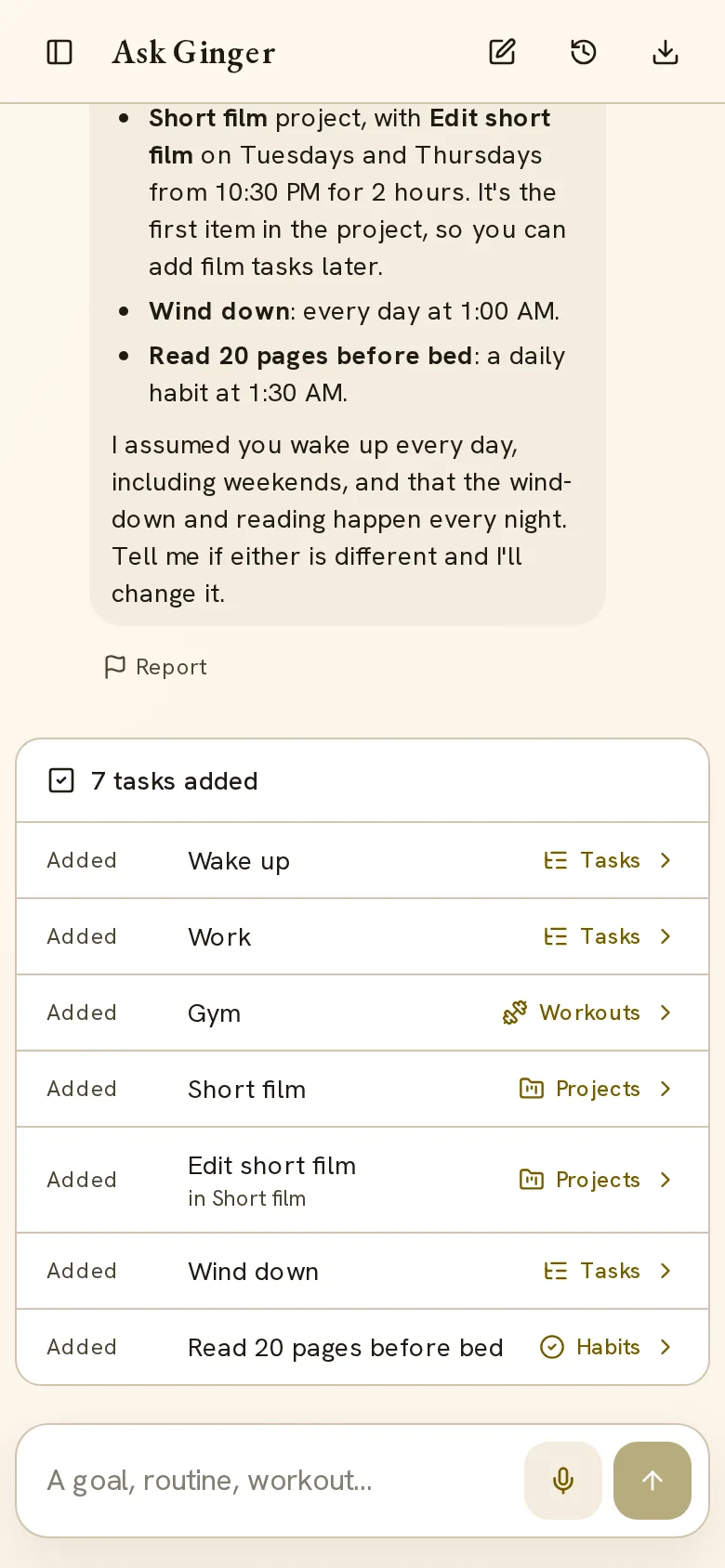
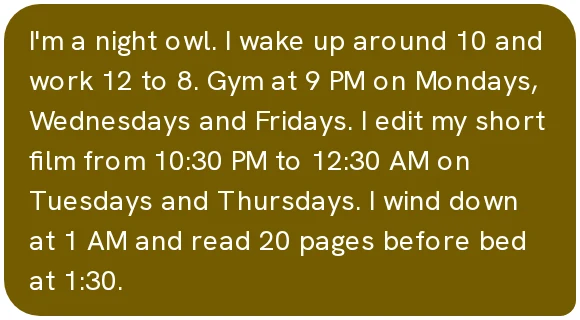
- Just tell Ginger. Tell Ginger how your day runs, for example: I'm a night owl. I wake up around 10 and work 12 to 8. Gym at 9 PM on Mondays, Wednesdays and Fridays. I edit my short film from 10:30 PM to 12:30 AM on Tuesdays and Thursdays. I wind down at 1 AM and read 20 pages before bed at 1:30. Ginger asked one question, which days you work, and then added 7 tasks.
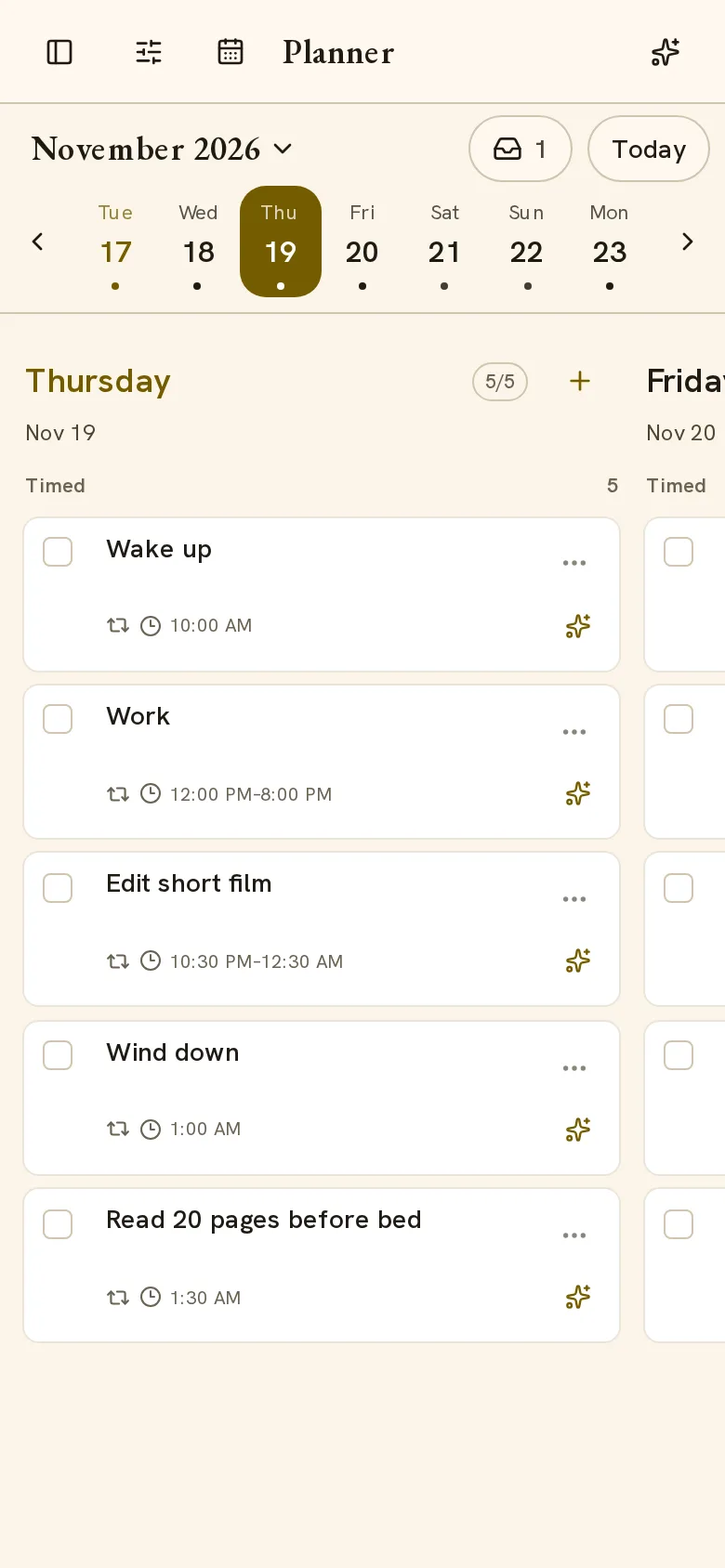
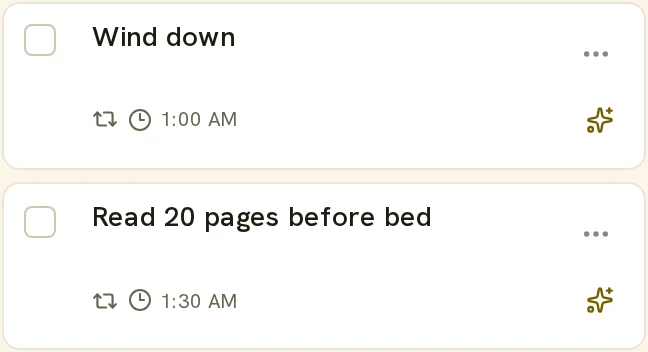
- One night, one day. In the Planner, Thursday runs from the 10 AM wake-up to reading at 1:30 AM. The edit session that ends at 12:30 AM, the 1 AM wind-down and the 1:30 AM reading all stay on Thursday.
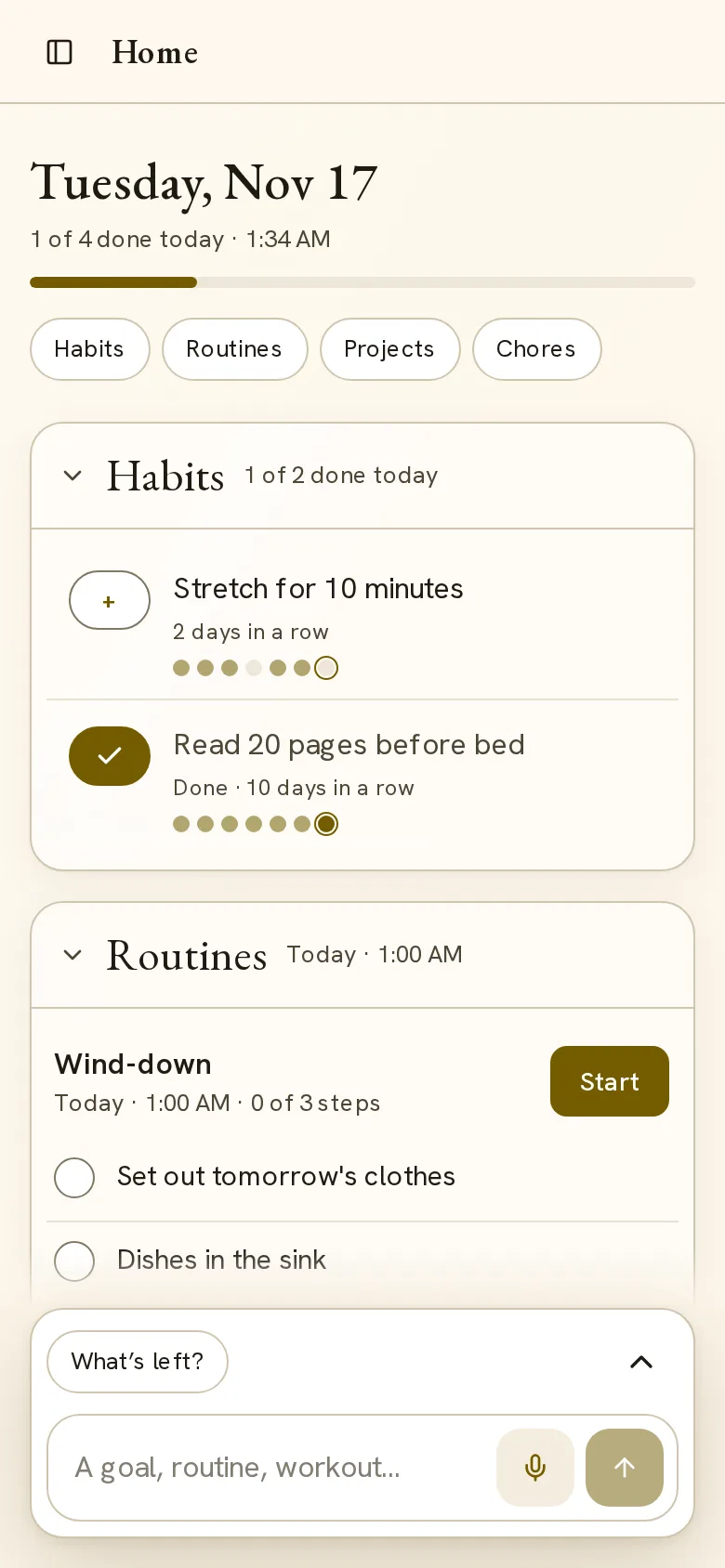
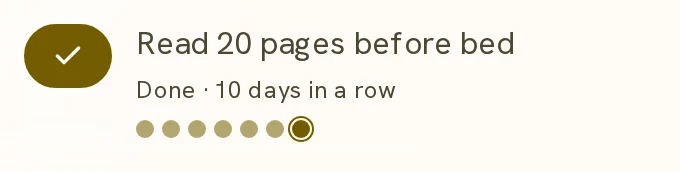
- 1 AM still counts. At 1:34 AM on Wednesday, Home still shows Tuesday. Tap + on Read 20 pages before bed and it counts for Tuesday: 10 days in a row.
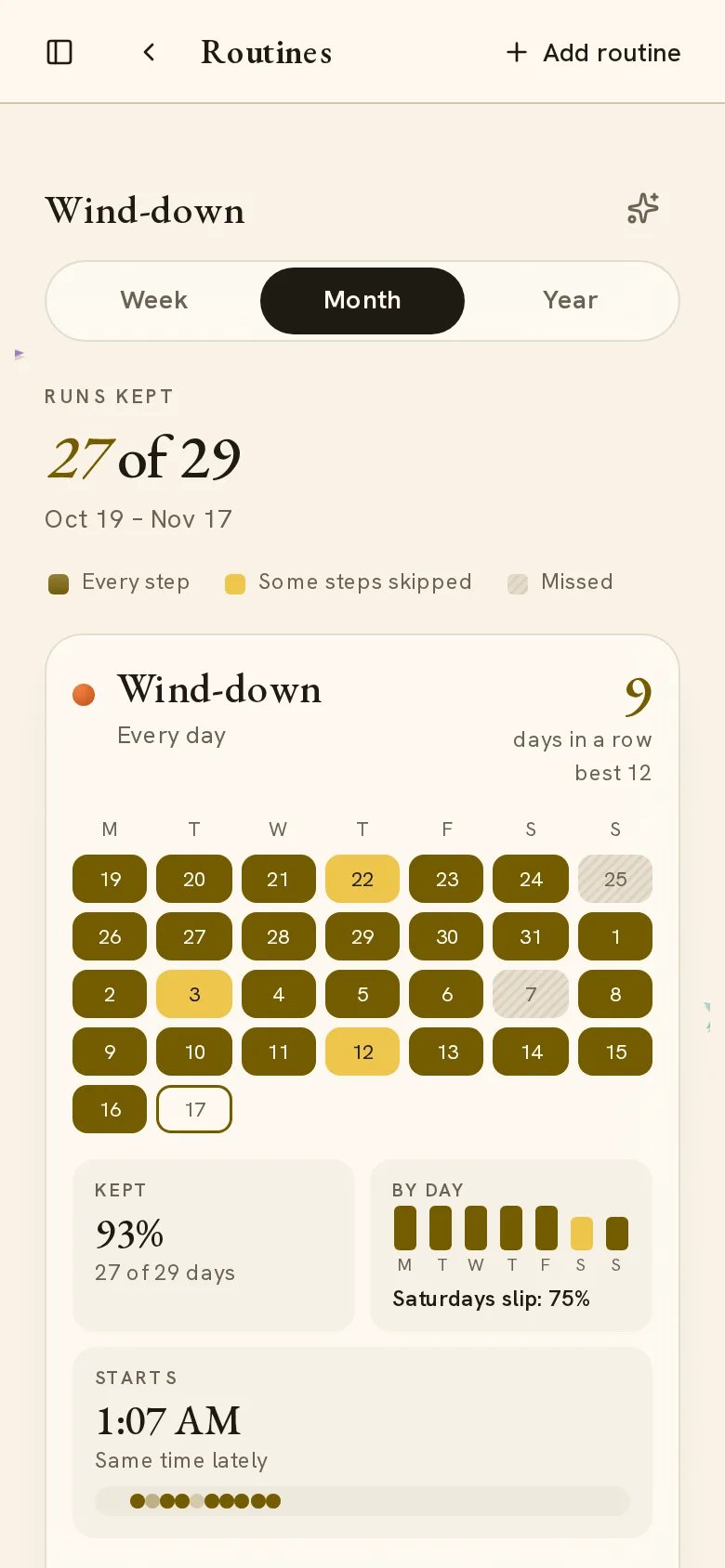
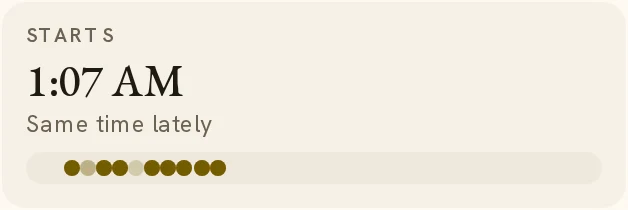
- See it working. Routine stats count each night on its own day. In this example, the wind-down ran on 27 of 29 nights and usually starts at about 1:07 AM.