
Track Workouts with Sets, Reps, and Weights
Plan exercises, record sets, reps, and weights, and revisit your workout history in Play This Life. Keep your training and everyday plans together with Ginger.
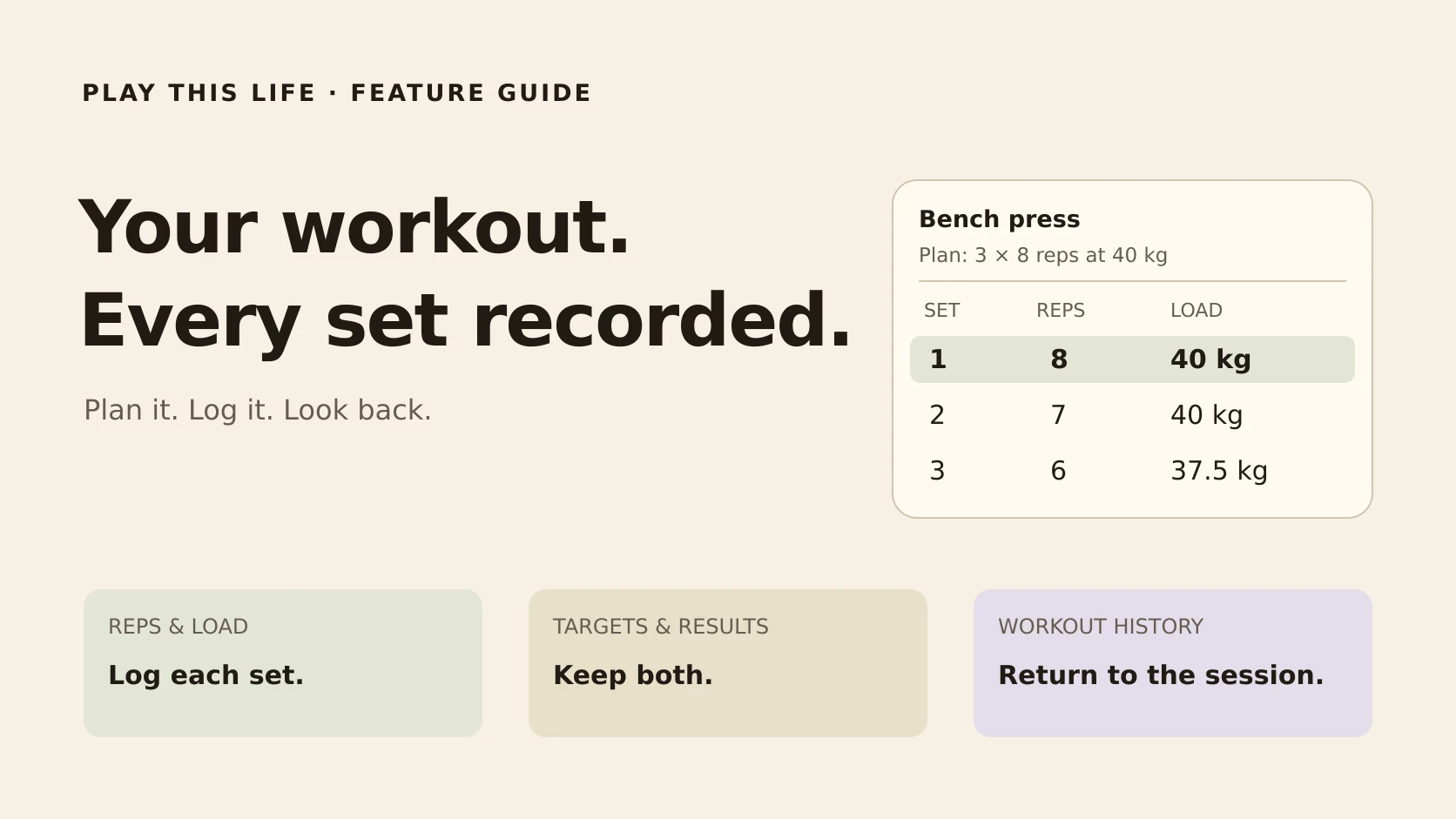
You planned eight reps. You lifted seven. That seventh rep belongs in your workout log, alongside the weight you used and the target you started with.
Play This Life lets you plan a workout, record each set, and return to the session later. Exercises have their own rows for reps, load, and other measurements. Your saved results give the next visit something concrete to build on.
Ginger, Play This Life’s AI assistant, helps create and change the plan. The workout view is where you take it through the session.
Build a workout you can follow
Start with the exercises you want to do and the measurements you want to keep. For a lifting session, that might be repetitions and load for each set.
You can describe the workout to Ginger in ordinary language. For example:
Create an Upper Body workout. Add bench press with three sets targeting eight reps at 40 kg. Keep it undated for now.
Open the saved workout to see its exercises and planned sets. You have a session to follow, with a place to record the result of each set as you go. You can also edit the plan directly.
Record what happened, set by set
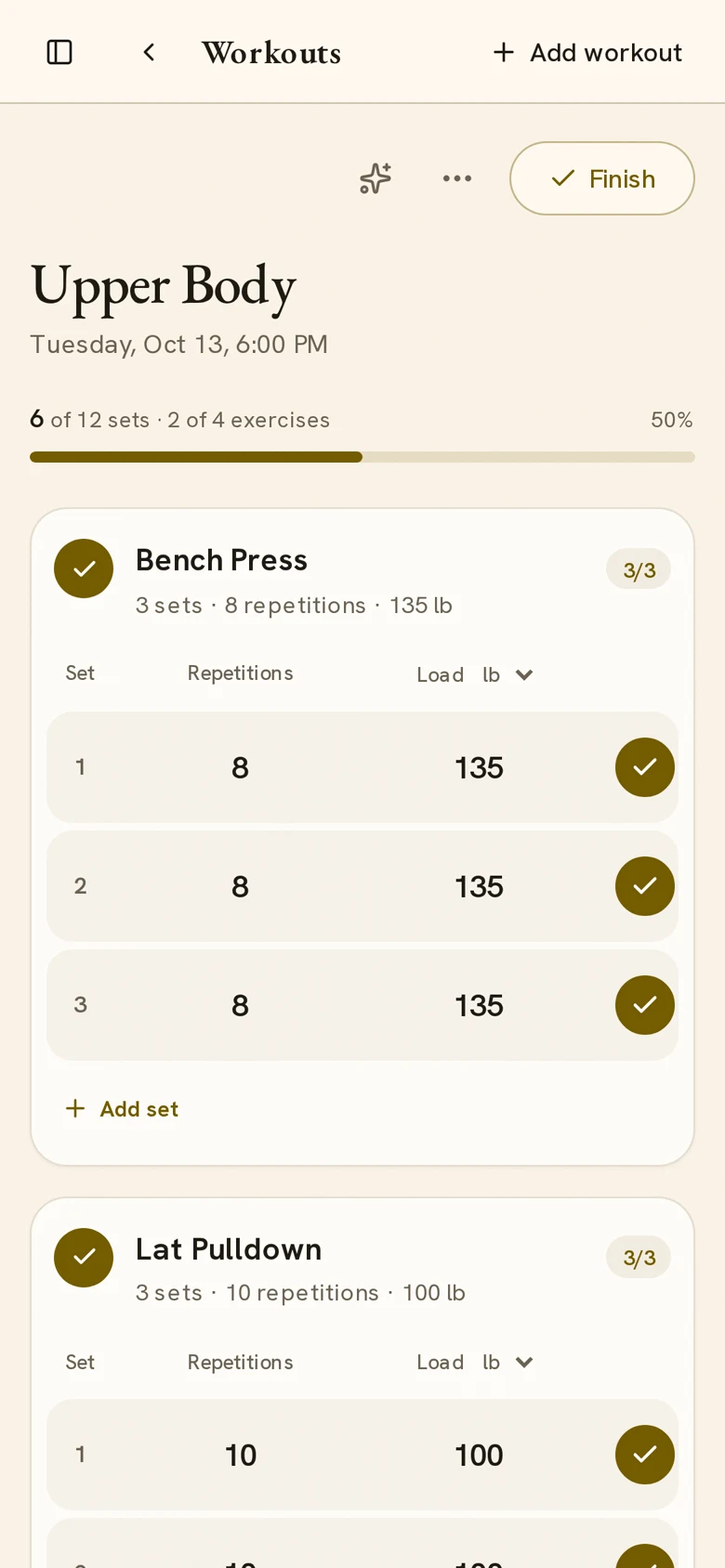
Start the workout when you’re ready to train. Each set has inputs for its measurements and a control to log it. The next unlogged set is highlighted, and the session shows how many sets you’ve logged.
Check the values, enter what you actually did, and log the set. If you planned eight reps but completed seven, record seven. The plan and the result stay separate, and the original target can remain visible beside a result that differs.
Here’s how our three-set example could look after training. Each set started with a target of eight reps at 40 kg:
| Set | Recorded reps | Recorded load |
|---|---|---|
| 1 | 8 | 40 kg |
| 2 | 7 | 40 kg |
| 3 | 6 | 37.5 kg |
That record tells you how the session went. When you return, you can see the reps and load you used for each set and decide what you want to plan next.
If you leave a set out, use Skip set in that set’s options. While the workout is active, you can change a recorded value or undo a logged set. The record can reflect the session as it happened.
Use the measurements that fit the exercise
Repetitions and load cover familiar lifting exercises. Duration and distance give you other ways to record work, such as a timed hold or a measured distance.
For a set with a duration measurement, its options include a timer. Start it, pause or resume it as needed, and use the elapsed time as the recorded duration.
Load can display in kilograms or pounds. Changing the display unit converts the values, so you can read the same measurement in the unit you use at the gym.
Bring previous results into the next session
During a workout, open Workout options and choose Show previous results. Previous recorded sets appear with the exercise, giving you a reference while you train.
That makes a familiar decision easier: you can check last time’s reps and weight before choosing what to use today. Today’s actual results still belong to today’s session.
Use History to browse saved sessions by date and open the one you want to review. A completed workout has a summary with the recorded exercise results, including which sets were logged or skipped.
Change the plan while keeping the history
Your workout can evolve. You might change the next session’s targets, replace an exercise, or rename the workout as your training changes.
Saved sessions retain the exercise names, targets, and results recorded for that session. Looking back gives you the details of that visit, even when your current plan looks different.
You can prepare the next session while keeping a useful record of the work that came before it.
Keep the workout with the rest of your week
The gym session needs time from the same day as your job, errands, and personal projects. Play This Life brings those commitments together.
Use Ginger to think through where training fits, save or change the workout, and adjust the surrounding plan. The workout also has an Ask Ginger action, so you can start a conversation from the session you’re viewing.
When it’s time to train, return to the workout view and record your sets. When you’re planning the week, see training alongside your other commitments. Read more about bringing everyday plans into one place.
Workout tracking questions
Do I have to match the target to log a set?
You can record results that differ from the target. Enter the reps, load, or other values you actually completed, then log the set. The planned target stays separate from those results.
Can I look up an older workout?
Yes. Open History from the workout’s options and select a session. You can review its recorded results and return to the current workout afterward.
Can Ginger help build the workout?
Yes. Tell Ginger the exercises and measurements you want to use, or talk through the plan together. Ginger can create and edit the saved work, and you can make changes directly too.
Bring your next workout
Choose the exercises you want to track, save the planned sets, and take the workout into your next session. Each recorded set gives you something useful to return to.
Plan your workout with Ginger. If getting to the gym is the part you’re working on, start with building a gym habit that fits your life.